#AD
When someone shops online, they expect things to work seamlessly, from adding items to the cart to checkout, payment, and completion. But behind that smooth process is something many people don’t think about: how the money moves. If you run an online store, this step, setting up payments; is not just technical; it’s essential. That’s where payment gateway integration comes in.
You don’t need to be an expert to understand it, but you do need to get it right.
What Is Payment Gateway Integration?
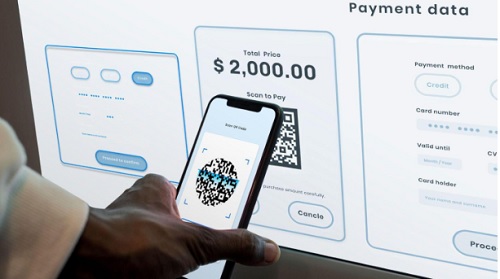
A payment gateway is a tool that connects your website to the bank. It allows people to pay using cards, UPI, or wallets. When someone clicks “pay,” the gateway takes action, verifies the details, confirms the available funds, and processes the payment.
Payment gateway integration is just the process of adding that tool to your website. Without it, you can’t collect payments online; it’s like having a store with no counter.
Why It Matters for Online Stores
There’s no point in attracting customers if they can’t complete their order. A payment gateway helps you close the sale. But more than that, it builds trust. If the process feels smooth, safe, and familiar, the customer is more likely to return.
Here’s why it’s important:
- It lets people pay the way they prefer, whether that’s UPI or card
- It protects sensitive data from leaks
- You get notified instantly when someone pays
- It keeps things professional
And let’s face it, nobody wants to deal with failed payments or errors on the checkout page.
Steps to Set It Up
It might sound like a big job, but setting up a payment gateway is mostly about following steps and staying patient.
1. Choose Your Gateway
Look at the options available. See what they charge per transaction, what payment modes they support, and how easy the setup is.
2. Register and Verify Your Account
You’ll need to provide some business details, such as your PAN, GST, and bank account information. Once verified, you’ll be given access to the system.
3. Get the Credentials
You’ll receive keys (sometimes called API credentials). These are needed to link your website and the gateway.
4. Add It to Your Website
If you’re using a platform like Shopify or WooCommerce, there’s usually a plugin or module. If it’s a custom website, your developer can handle the code.
5. Test Before You Launch
Do a few test transactions. Make sure payments go through and you get confirmation. Also, check what the customer sees; that part matters a lot.
6. Go Live
Once testing is complete and looks good, you can start accepting real payments.
Final Thoughts
Integrating a payment gateway isn’t just about technology; it’s about ensuring your customer can complete the journey. The last thing you want is someone filling their cart and walking away at the final step.
If you want something simple to start with, the PayU payment gateway is worth looking into. It supports all primary Indian payment methods and integrates seamlessly with most e-commerce platforms.