

MINISTRY OF FINANCE
Directorate of Systems, Chennai
Updating Mobile Number & Email Authorized Signatory-
Article explains Process flow and steps involved for Updating Mobile Number & Email of Authorized Signatory on GST portal www.gst.gov.in of Registered Taxpayer.

Process flow- Updating Mobile Number & Email Authorized Signatory

Steps involved
- Login using the provided credentials
- Select GST Application
- Activate Registration Menu
- Select “Active Registration”
- View the list of Tax payers active for the given formation
- Search for the “Tax payer”who requested the modification
- Activate “ACTION” button. It changes to Update AS (Authorised Signatory)
- View the current email id and mobile no.
- Change the required information
- Attach the request letter received from the Tax payer
- Submit, Confirm to view success message.
- Modification will be communicated to Tax payer through Common portal
View the Registration details

Current Authorized Signatory

Update Email/ Mobile No.

Upload request letter received

Document stored in AIO/Server
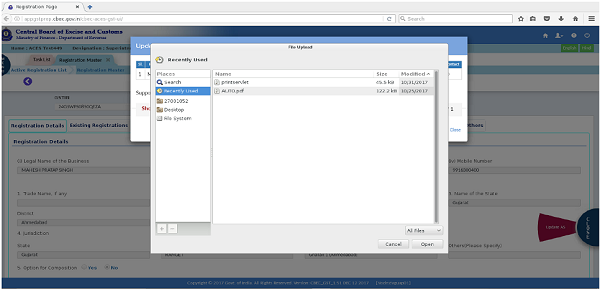
Document attached

Confirmation Message for updating the changes

Successful modification

Presentation by
CBEC-GST Team
DG System
Chennai
Kindly Refer to
Privacy Policy &
Complete Terms of Use and Disclaimer.

Join Taxguru’s Network for Latest updates on Income Tax, GST, Company Law, Corporate Laws and other related subjects.

One Comment
Cancel reply

do we have to login on CBEC site ? I tried but could not get the login window can you share the website link for login and correction