

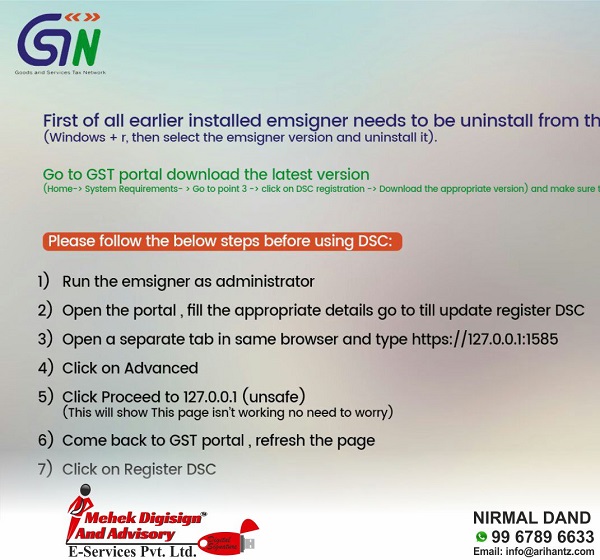
First of all earlier installed emsigner needs to be uninstall from the system
Windows + r, then select the emsigner version and uninstall it).
Go to GST portal download the latest version
(Home → system Requirements → Go to point 3 -> click on DSC registration → Download the appropriate version) and make sure this should be v2.6.
Please follow the below steps before using DSC:
1) Run the emsigner as administrator
2) Open the portal, fill the appropriate details go to till update register DSC
3) Open a separate tab in same browser and type https://127.0.0.1:1585
4) Click on Advanced
5) Click Proceed to 127.0.0.1 (unsafe)
(This will show This page isn’t working no need to worry)
6) Come back to GST portal , refresh the page
7) Click on Register DSC
Source-
Kindly Refer to
Privacy Policy &
Complete Terms of Use and Disclaimer.

Join Taxguru’s Network for Latest updates on Income Tax, GST, Company Law, Corporate Laws and other related subjects.

3 Comments
Cancel reply

This is the best way. i was totally frustrated as last date of GSTR1 was passed away and i was not able to file return even after taking help of GST helpline 2 times, i had tried all the possible ways what they had suggested..
At last i searched about it on internet and read this article, it tried this way and my problem resolved in just 1 minute..
Thank you for giving this solution…
First update Java
Then go to Java security and add site https://127.0.0.1:1585
OK
Open internet explorer and go to tools
Privacy — add site https://127.0.0.1:1585
OK
Esigner open through run to administrator.
Then login get.gov.in
And update dsc
If problem call me 9389728576
Sir, It is not working… I check with so many other professionals and they also facing same problem. What to do now… no festival also… Return ready and submitted but we can’t able to sign through DSC.