
Summary: The Income Tax Department’s grievance redressal mechanism enables taxpayers to raise complaints concerning matters such as assessments, refunds, rectifications, e-Filing issues, PAN/TAN matters and TDS through e-Nivaran and the Centralised Public Grievance Redress and Monitoring System (CPGRAMS). e-Nivaran is an electronic grievance system integrated with ITBA, through which grievances can be directed to authorities including the Assessing Officer, CPC(ITR), CPC(TDS), e-Filing, DIT(Systems), NSDL and UTIITSL. Taxpayers can submit grievances through the e-Filing portal, including procedures for registered and unregistered users, and track their status using the acknowledgement details. The supplied material also provides the CPGRAMS registration, complaint-tracking and appeal process, along with matters excluded from its scope, including RTI, court-related or sub-judice matters, religious matters, suggestions and specified government employee service matters. The material states that Income Tax grievances are typically resolved within eight weeks, with most addressed within a month, while grievances originating from the Prime Minister’s Office, Finance Minister’s Office or CBDT are stated to have a 21-day resolution time. TaxGuru has also published material on e-Nivaran and the Department’s grievance redressal mechanism.
GRIEVANCE REDRESSAL MECHANISM
Income Tax Department
Central Board of Direct Taxes
Income Tax Grievance Overview
An Income Tax Grievance is a complaint raised by a taxpayer against the Income Tax Department, often concerning issues like incorrect tax assessments or delayed refunds. These grievances can be submitted online or by visiting the Jurisdictional Office.
Online Grievance Portal: There are two modes through which a Grievance can be filed namely ‘e-Nivaran’ and CPGRAMS. A detailed note of these is given as under in a seriatim.
(a) ‘e-Nivaran’ is an electronic grievance redressal system integrated with the ITBA application, the Department’s internal online working system. This online platform allows taxpayers to submit grievances, with resolutions typically provided within 8 weeks. Issues can be escalated to the Centralized Processing Center (CPC) or the Assessing Officer (AO), and the system handles various complaints, including technical glitches and PAN/TAN related problems.
- In the Income Tax Grievance Portal, with whom to lodge what types of complaints:
| S. No. | Competent Authority | Particulars |
|---|---|---|
| (i) | E-filing | This department handles e-Filing of Income Tax Returns, statutory forms, and services like e-verification and e-proceedings. Grievances related to portal registration, profile issues, password, ITR/Form verification, e-proceedings, Instant PAN via Aadhaar, or income tax-related cybercrime should be logged here. |
| (ii) | Assessing Officer (AO) | Assessing Officers (AOs) handle taxpayer assessments and ITR queries. Log grievances related to refunds, rectifications, demand corrections, appeal orders, PAN applications, or other pending matters with this department. |
| (iii) | CPC(TDS) | This relates to the e-TDS scheme. Log grievances about portal access, TDS statement processing, defaults, Challan/BIN corrections, Form 26AS, Form 16/27D, TDS refunds, and TDS on property sales here. |
| (iv) | CPC(ITR) | It handles Income Tax Returns processing. Grievances related to ITR-V status, Intimations or Notices under Sections 139(9) or 143(1), unreceived refunds, tax processing issues, social media complaints, or feedback should be logged here. |
| (v) | DIT(Systems) | It manages IT systems for the Income Tax Department. Log grievances about technical issues with the e-Filing website, PAN, tax payment system (OLTAS), refund banker (SBI) escalations, and assessment mismatches here. |
| (vi) | National Securities Depository Limited (NSDL) | It handles all PAN-related issues, such as Aadhaar linking, duplicate PANs, digitization errors, discrepancy letters, application problems, delivery issues, rejections, and upload delays. |
| (vii) | Unique Identification Authority of India Infrastructure Technology Services Limited (UTIITSL) | This, with NSDL, handles PAN-related issues like Aadhaar linking, duplicate allocations, digitization errors, discrepancy letters, application problems, delivery issues, and rejections. |
- Submitting a Grievance :
Grievances can be submitted through two methods, depending on whether or not you are registered on the e-Filing portal. A step by step procedure under both the possibilities are depicted here under.
Below are the steps for registered users:
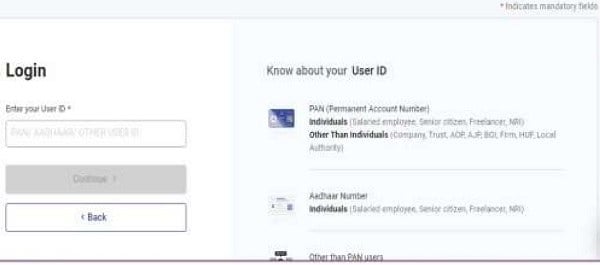
Step 1 – Visit the e-Filing portal of the Income Tax Department and log in to your account.
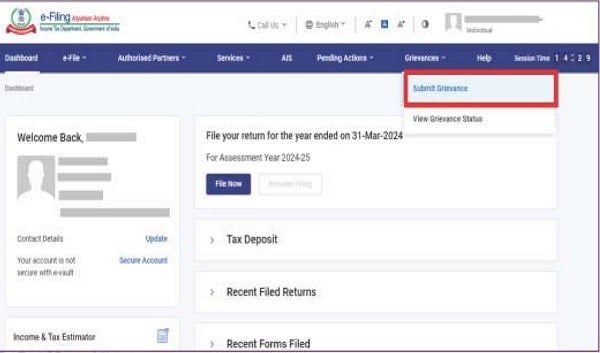
Step 2 – Navigate to the grievances tab and select the ‘Submit Grievance’ option.
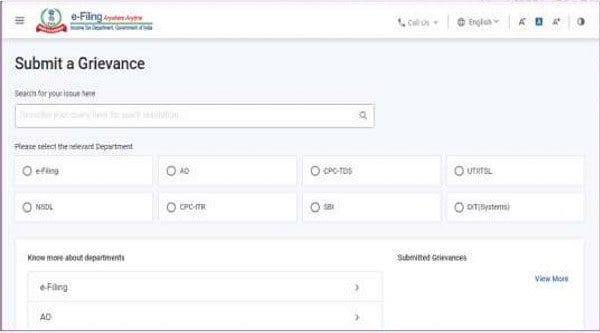
Step 3 – Select the type of grievance and enter the details.
Once your grievance is updated, you will see a success message and a transaction ID. Moreover, you will also receive an email on your registered e-mail ID.
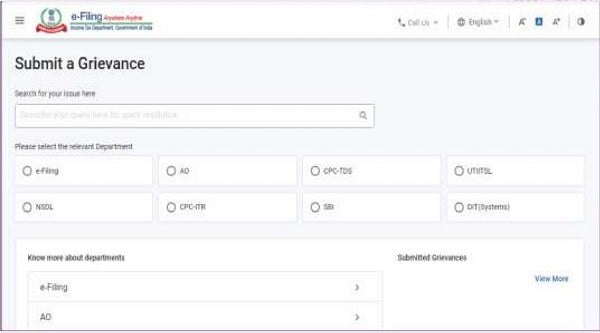
(i) Steps for users not registered on the e-Filing Portal
Step 1 – Go to the e-Filing website.
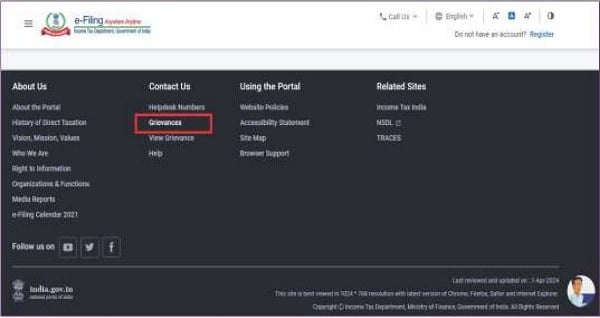
Step 2 – Locate the Grievance option in the footer of the webpage, it will be under the ‘Contact Us’ section.
Step 3 – Select the type of grievance and enter the details.
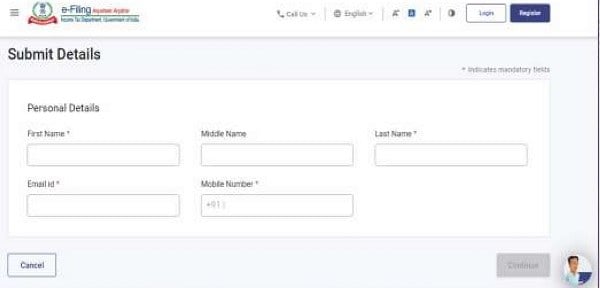
Step 4 – Enter all your personal details.
Step 5 – Enter the OTP sent to your phone number and email id.
Step 6 – Select the type of grievance and enter grievance details.
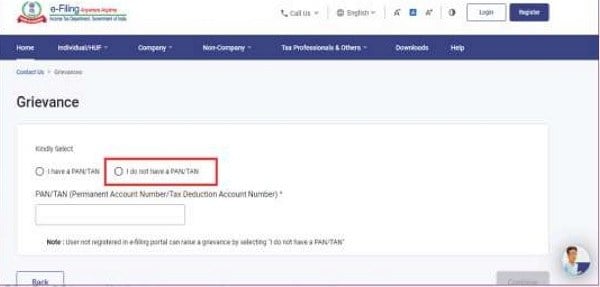
Step 7 – Enter the Assessment Year, Financial Year, and PAN/TAN Application Number.
Step 8 – Write a grievance description (you can also add attachments as proof).
Step 9 – Click on Submit Grievance.
In addition, you can also lodge your issues via the Income Tax Grievance Email Id which is: [email protected].
- How can I check my ITR Grievance Status?
To check the status of Income Tax Grievance, follow the steps given below:
Step 1- Locate the ‘Grievance Status’ under the ‘Grievances’ tab.
Step 2- Enter the Acknowledgement Number/AY/Status.
Step 3- Provide all necessary details.
(b) Centralised Public Grievance Redress and Monitoring System (CPGRAMS):
CPGRAMS is an online platform available 24/7 for citizens to lodge grievances to the public authorities on any subject related to service delivery. It connects all Ministries, Departments, and States in India, and can be accessed via a mobile app available on Google Play and integrated with UMANG.
Grievance status can be tracked using the unique registration ID, and appeals can be filed if the initial resolution is unsatisfactory. Feedback can be provided after closure, and if rated ‘Poor,’ an appeal option is enabled. The appeal status can be tracked with the grievance registration number.
- Issues not addressed include:
I. RTI matters.
II. Court-related/sub-judice matters.
III. Religious matters.
IV. Suggestions.
V. Government employees’ service matters (unless prescribed channels have been exhausted, as per DoPT OM No. 11013/08/2013-Estt. (A-III) dated 31.08.2015).
- Note:
(i) If you have not got a satisfactory redressal of your grievance within a reasonable period of time, relating to Ministries/Departments and Organisations under the purview of Directorate of Public Grievances(DPG), Cabinet Secretariat, GOI, you may seek help of DPG in resolution.
(ii) Government is not charging fee from the public for filing grievances. All money being paid by the public for filing grievance is going only to M/s CSC only.
- Features of CPGRAMS Portal are listed below:
(i) CPGRAMS is a 24/7 integrated system that allows citizens to submit grievances anytime, enabling quick communication between government nodal officers and citizens for faster redressal.
(ii) It generates a unique registration number for grievances submitted online to DPG/DARPG or relevant departments.
(iii) It supports automatic online data transmission between departments and organizations.
(iv) The system enforces a uniform, systematic approach for monitoring grievances and standardizing redress efforts across government departments.
(v) The system is adaptable to the needs of Central and State Government Ministries, Departments, and subordinate offices.
(vi) The portal allows citizens to lodge grievances online, linking them to official departmental portals.
(vii) CPGRAMS can be implemented by accessing the centralized server hosted on NIC SAN, requiring no dedicated hardware or software.
(viii) It enables departments to enter and forward grievances received locally to subordinate organizations for quick resolution.
(ix) The system provides monitoring queries and reports for effective oversight of pending grievances.
(x) It automates notifications like acknowledgment and final reply letters for official correspondence with complainants.
(xi) CPGRAMS is flexible and can be extended to meet the specific needs of departments for quicker and more effective grievance redress.
- Procedure for Online Complaint Registration:
To register a complaint under the CPGRAMS, follow the steps mentioned below:
Visit CPGRAMS Portal:
Step 1: The applicant needs to enter the official Portal of CPGRAMS to register a complaint.
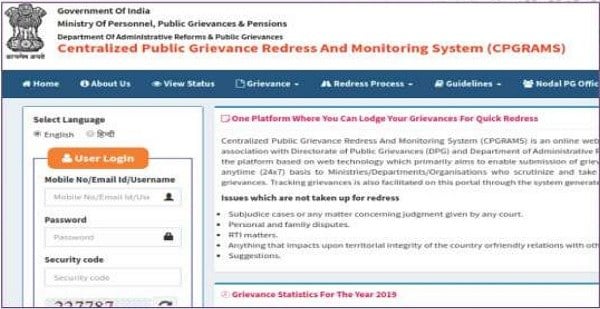
New User Registration:
Step 2: In case of a new user, then the applicant has to register in this CPGRAMS portal. Click on the “Sign Up” tab for the New User Registration.
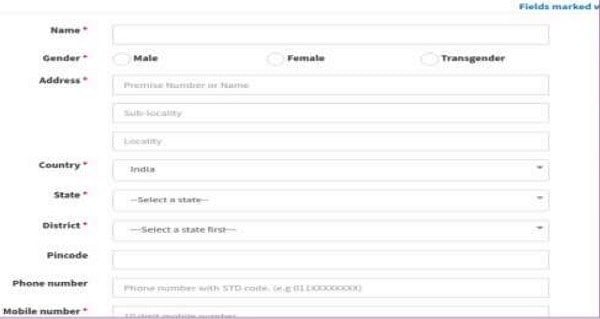
Step 3: After entering the details, the applicant has to click on the ‘submit’ button.
Step 4: Enter the one time password (OTP) and click the ‘confirm’ button.
Step 5: After confirmation, a confirmation email will be sent to the registered mail ID. Click on the activate link to activate your account. The account will be activated on clicking the activation link.
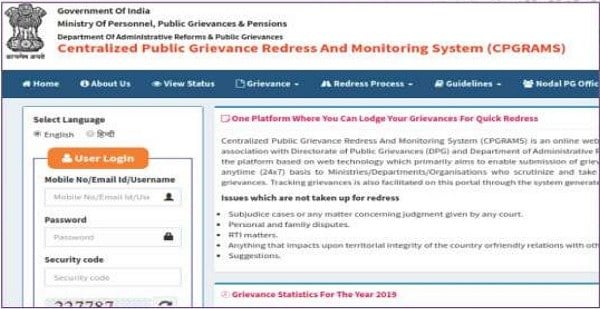
Login to Portal:
Step 6: For portal login, the applicant has to enter the login id, password and enter the captcha and then you need to click on the “Submit” button.
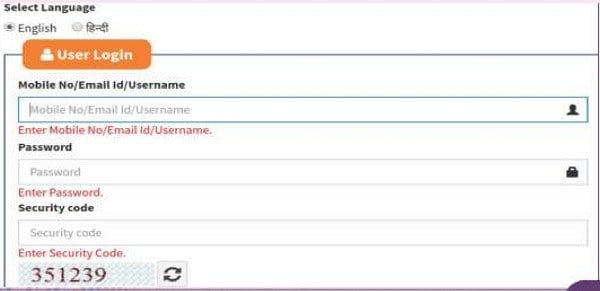
Step 7: Now, the applicant is eligible to request and file for the complaint under this portal.
Grievance Registration Form:
Step 8: In the grievance registration form, the user needs to select whether the organisation is “Central government or State government”. Then select the department from the drop-down box.
Step 9: After selecting the department, then the Department of Administrative Reforms and Public Grievances will file the complaint to the respective department after reviewing the complaint.
Step 10: After successful registration, the user will get the registration number by which the user can trace the status of the complaint.
Track Application Status:
To track the status of the registered complaint under the CPGRAMS portal, the user will have to revisit the portal. Now click on the “View Status” tab from the dashboard, enter the complaint number, mobile number and email id. After providing the full details, click on the “Submit” button to view the status of the application submitted.
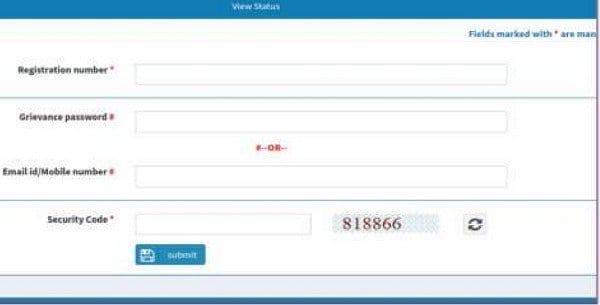
CPGRAMS Mobile App:
The Central Government has launched the mobile app for registering of citizen grievance through mobile phones. Each grievance will be given a unique reference number where the citizen can use the reference number to track the progress of grievance, send a reminder and also for giving feedback after submission. After the successful registration, the reference number will be generated and automatically forwarded to the concerned department for the redressal.
(c) How long does it take to resolve Grievance in Income Tax?
Income tax grievances are typically resolved within 8 weeks of receipt, but most are addressed within a month. If a grievance originates from the Prime Minister’s Office or Finance Minister’s Office, or the Central Board of Direct Taxes, the resolution time is 21 days.
Directorate of Income Tax
(Public Relations, Publications & Publicity) 6th Floor, Mayur Bhawan, Connaught Circus, New Delhi – 110001




I have regularly used E-Nivaran and PGRAM portals but find that both are ineffective in so far as the officers are concerned they still have a colonial mind set and redtapism prevails and this makes them give absurd answers which taxpayers wouldn’t expect for resolution of their grievances. Further, the time taken is also an issue. They take even 18 months to resolve the grievance. Answers given are vague and they never accept their mistakes. They are really speaking idiots and bastards [this is no longer the prohibited word as per the Supreme Court decision] who have no knowledge compatible and commensurate to their position held.