Manual on Viewing List of Taxpayers
I want to view my list of engaged Taxpayers. How do I do that?
Perform the following steps to view the list of engaged Taxpayers in GST Portal:
1. As a GST Practitioner, visit the URL: https://www.gst.gov.in, and login to the GST Portal with your user-ID and password.
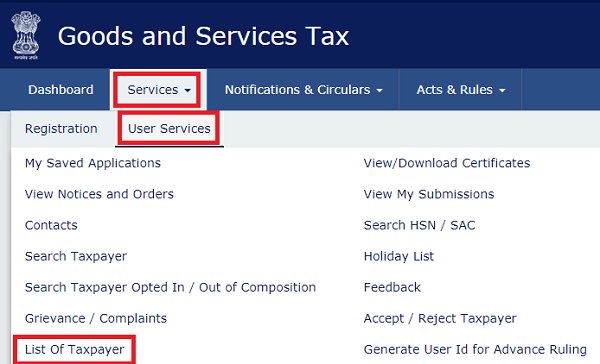
2. From the Home screen, or Dashboard screen, or from any other screen, click the Services > User Services > List of Taxpayer option.
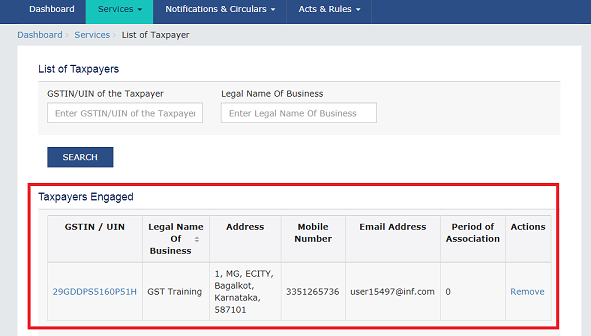
3. The list of engaged Taxpayers get displayed, showing the respective Taxpayers’ GSTIN / UIN and the link to remove (disengage) under the Actions menu.
The GSTP shall click Remove Button and the taxpayer will be removed from the List of Taxpayer. Intimation will also go to the taxpayer through email.