
CA Nitish Agnihotri

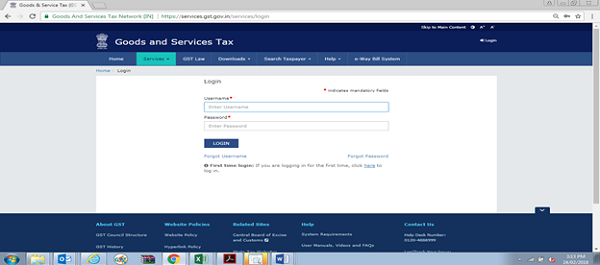
Step: – 1: Login on GST Portal.
Enter the Username, password and Captcha code, Click on ‘Login’
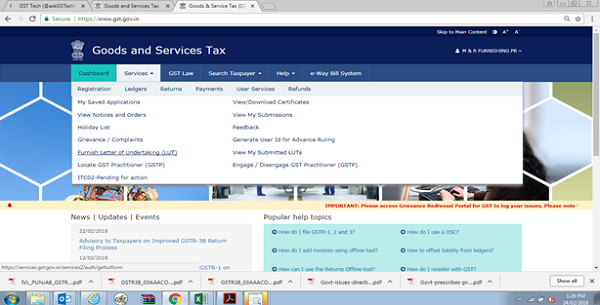
Step:-2 Click on Go to User Services and Select the Tab “Furnishing Letter of Undertaking”
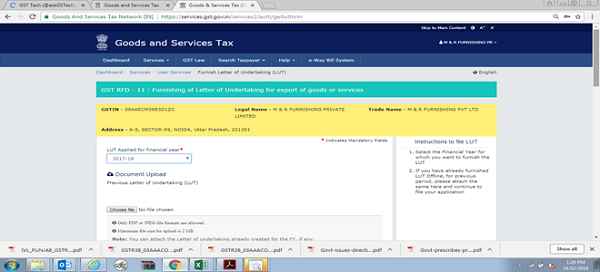
Step:-3 Select the Financial Year for which you want to furnish the LUT. If you have already furnished LUT Offline, for previous period, please attach the same here and continue to file your application
Step: – 4 If you’re filing LUT, please read and select all the three checkboxes for accepting the conditions prescribed in Letter of Undertaking
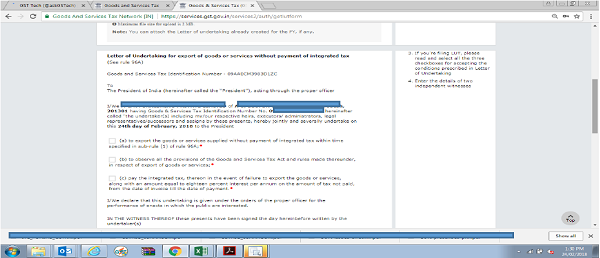
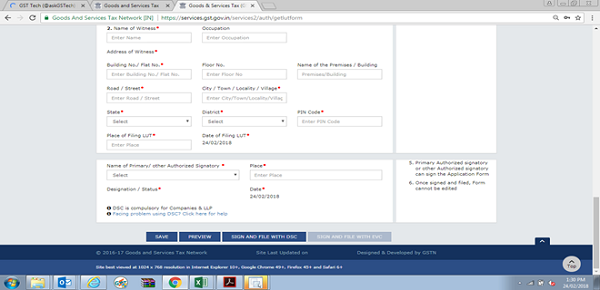
Step:- 5 Enter the details of two independent witnesses.
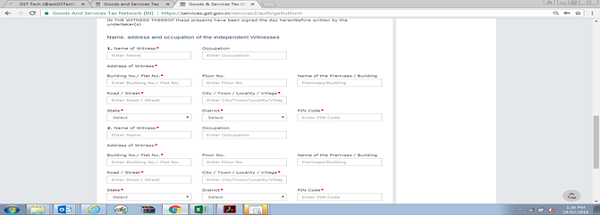
Step:- 6 Primary Authorized signatory or other Authorized signatory can sign the Application Form





For Step-3, do we need to upload the copy of LUT filed offline for the F.U.17-18 & 18-19… what is the previous period meaning in this step..
IF EXPORTS IS DONE WITH PAYMENT OF IGST THEN HOW TO CLAIM REFUND OF IGST??
GSTR-3B & GSTR-1 OF TABLE 6A IS ALREADY FILED.
If no offline LUT submitted, and LUT applied online today, will it be valid from the start of FY 2017-18?
If no, is delay allowed in filing of LUT if services were being exported prior to submitting LUT?
Thanks
Hello,
Thought online filing of RFD 11 is enabled, we are unable to file it with Digital signature as there is an error reported like Error! Failed to establish connection to the server . Kindly restart the Emsigner.
The above error comes only when we try to file the RFD 11 form. With same DSC, we are able to file all other GST Returns. Looks like GSTN is still not enabled the online filing of RFD11 using the DSC.
Please anyone guide.
SIR MEIN ONLINE LUT APPLY KARDIA HUN , ACK AGEYA , LEKIN LUT GENERATE NENHI HUA , KETNA TIME LAGEGA
Thank you Mr. Nitish, it was very simple and hope it works.
Does this mean that we can apply for LUT online for F.Y 2018-19?
if i have submitted LUT manually upto 31-03-2018 as validation date so we need to submit it online @ gst portal
Thanks to Govt. for enabling LUT Option online. previously we suffered a lot due to officers asking pribe for approval of LUT. Once again thanking to GST Council .
Thanks for info.Good job by GSTN
Very useful to the exporters. earlier days we used to get co singed by the Asst/Deputy commissioner level officer from the department. Since it is online such type of signatures are not required by the department. What type of acknowledgement will get by assesse/tax payer.
do we have to submit the acknowledgement manully to department
Good Job