
Download Registration Certificate
How can I view or download the Registration Certificate?
To view or download the Registration Certificate, perform the following steps:
1. Login to the GST Portal with the valid credentials.
2. Click the Services > User Services > View or Download Certificates command.
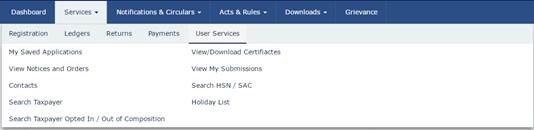
3. The View / Download Certificates page is displayed. Click the Download button to download the certificate.
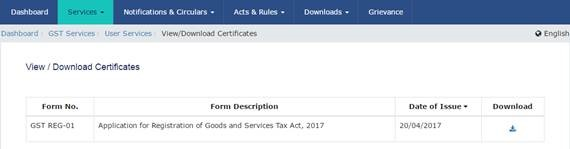
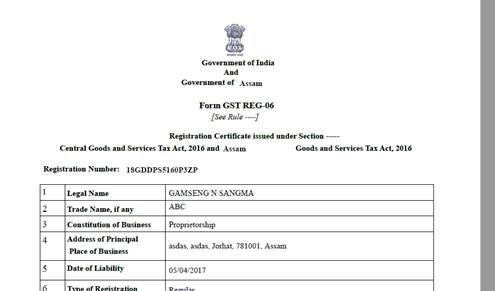
Open the downloaded certificate to view the Registration Certificate.






how I can download the supplier gst certificate when I know the gst number
How can i download other company gst certificate
How can i get my gst certificate for print
There it’s showing no records what to do not to download the registration certificate
There it’s showing no records what to do not to download the registration certificate
Very easy way.Thanks