
Income tax emBridge Utility ‘Stopped‘ Status Resolution:

Reason for change in status of emBridge Utility:
- Restart of System;
- Windows Update;
- Change in Login Profile;
In case the status of emBridge utility is “Stopped”, you will not be allowed to sign the forms online on the Income tax Portal. It will give you a message as under:
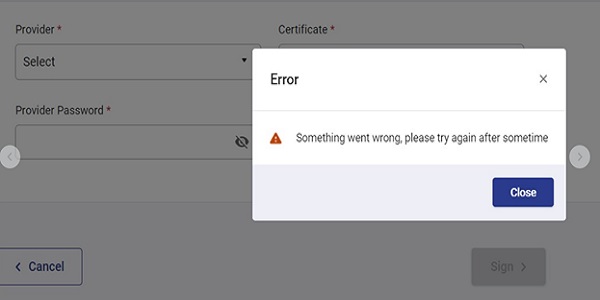
There are two ways to resolve the above issue i.e. to change the status of emBridge Utility from “Stopped” to “Running”:
1. Install the emBridge utility again, at the same time it may ask to update the utility;
2. Changing the status from system application:
- Type “Services” from Run/Start Menu;
- Service application window will open;
- Search for emBridge application;
- In case the startup type is not automatic, set the same to automatic from Properties option (available on right click);
- Then again right click on emBridge and click on start option;
- The status of utility will change to ‘Running” from “Stopped”.

And you will be able to sign the forms submitted online on the Income tax Portal.









It worked